"How Can I Protect Myself?" The Five Actions That Actually Matter
It's the question I get asked more than any other, at parties, in DMs, from family members who read the scary technology headlines. People want a checklist, not a lecture. So here's the checklist. Five things, in order of impact, that do more for your personal security than almost anything else you could spend time or money on.
None of this requires a degree. It requires about a weekend of setup, depending on how fast you are, and then minimal ongoing effort.
1. Get a password manager
Start here, because passwords are still the front door attackers try first. They know people love to reuse passwords, and they've been exploiting that for years.
In the early internet, the advice was to make passwords you could remember. That advice is outdated, and it hasn't been true for a long time. Between the sheer number of password dumps circulating from years of breaches and how much easier AI-assisted cracking tools have made guessing weak or reused ones, it's almost guaranteed that at least one of your passwords is already sitting in a dump somewhere, especially if you've reused it anywhere.
Verizon's 2026 Data Breach Investigations Report found that vulnerability exploitation edged out stolen credentials as the top breach entry point for the first time in the report's 19-year history, at 31% versus 13%.1 That's a notable shift, but it doesn't mean credentials stopped being a problem. It means passwords are such a well worn attack path that most of the damage now happens through reused, weak, or stolen ones already circulating from older breaches, not through some fresh new trick.
The numbers on reuse are the real story. A Cybernews analysis of over 19 billion exposed passwords found 94% were reused or duplicated across accounts.2 And it's not just an older-generation problem: Bitwarden's 2025 World Password Day survey found that 79% of Gen Z respondents know reusing passwords is risky, and 59% do it anyway, recycling an old password the moment a company they use discloses a breach.3
A password manager fixes this in one move: one strong master password, or passkey, unlocks a vault that generates and stores a unique, complex password for every account you have. You stop reusing. You stop forgetting. Most managers also flag reused or breached passwords for you automatically.
What to look for: cross-platform support (phone, laptop, browser), a built-in password health and breach check, and either a solid free tier or a low flat annual fee. This isn't an endorsement, but Bitwarden, 1Password, and Proton Pass are the names that come up most often for good reason — I can go deeper on how to pick one if that's useful as its own post.
Tips for password creation:
- Length over cleverness. The longer the password, the stronger it is, simply because there are more characters an attacker has to guess. This is just math, and it works in your favor.
- Change a password when you have a reason to, not on a fixed schedule. This one actually surprises people: forcing yourself to rotate passwords every 90 days or every 6 months, even on important accounts like banking, tends to backfire. Most people just tweak the old password slightly ("Password1" becomes "Password2"), which is barely different from not changing it at all. Current NIST guidance directly recommends against mandatory periodic password changes for exactly this reason, telling organizations to only require a change when there's actual evidence of compromise.4 The better trigger is a specific one: change it the moment a site tells you it was part of a breach, or the moment you suspect something's off. A password manager makes this painless because it'll usually flag the breach for you automatically.
- Use a mix of character types. More unique characters make a password harder to guess or brute-force.
- Let the password manager generate them. Most managers already build in these requirements and more. All you have to do is save what they create.
2. Back up your data — and test your backup
The number of times I've wished I'd backed up my data is a few too many, and the worst part is, most of those times had nothing to do with ransomware. Computers get splashed with water, dropped, run over, or simply fail from age. Tech isn't built to last the way it used to, either, which doesn't help. And nobody wants to lose their baby pictures, the only copy of their resume, or the project they saved a few hours ago.
Ransomware doesn't care how strong your passwords are if it can just encrypt your files and demand payment. The single best insurance policy against that is a working backup, because it removes the leverage entirely: if your files are encrypted, you restore from backup and move on.
The standard here is the 3-2-1 rule: 3 copies of your data, on 2 different types of media, with 1 copy stored off-site (this can be as simple as cloud storage). The part people skip is testing the restore. A backup you've never actually tried to recover from is a backup you don't really have.
3. Update your computer (and everything else)
This is the one people put off the longest, and it's become the single most common way attackers get in. Here's why: an unpatched computer is like leaving the doors and windows of your house wide open, maybe with a welcome mat out front too. Malicious actors know exactly where those gaps are, and they're waiting for the right moment to walk through. It's remarkable how much damage a single week without updates can allow.
That same 2026 Verizon DBIR found vulnerability exploitation now accounts for 31% of breaches, having grown 34% year-over-year even before it became the top vector.1 Attackers move fast once a patch is released: one industry analysis found the median time to exploit a vulnerability is now under five days, while organizations on average take a month or more to actually patch.5 That gap is where most of the damage happens.
For a personal device, this is simple. Turn on automatic updates for your operating system, your browser, and any app you use daily, and don't put off restarts when they're needed. A patch you haven't installed is a lock you haven't actually turned.
Checklist of devices to keep updated (yes, really, all of these):
- Computers (desktops, laptops)
- Phones
- Printers
- Modern cars — if it has an app or touchscreen, it usually needs updates
- Smart TVs
- Gaming consoles
- Security cameras
- IoT devices generally
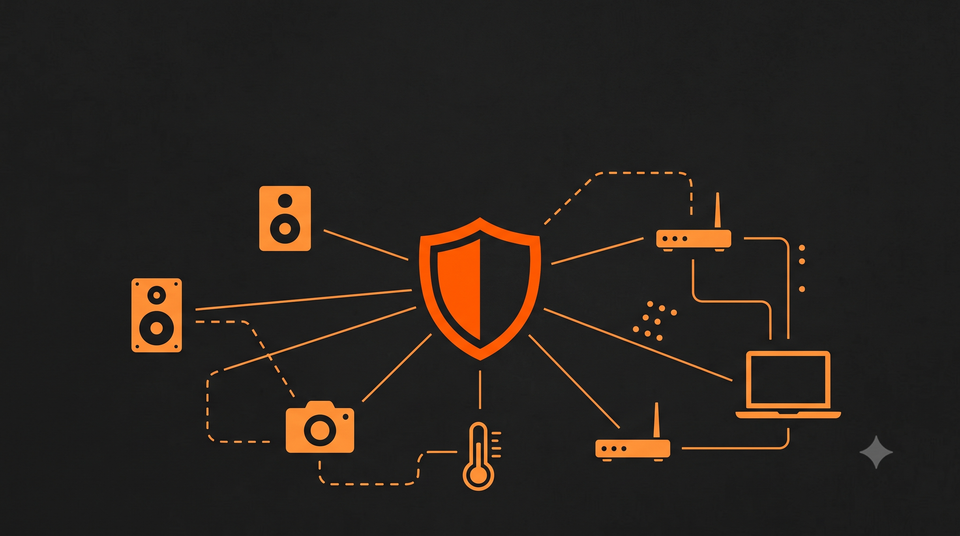
4. Be wary of your smart devices
Every smart speaker, camera, thermostat, fridge, vacuum, and doorbell you add to your network is another door into your home, often in ways you wouldn't expect. A 2025 Bitdefender IoT security report found the average household now runs 22 connected devices, facing more than 29 attack attempts every 24 hours.6 The attackers behind these attempts usually aren't sophisticated. In one case the report describes out of Milan, hackers simply scanned the internet for cameras that were still sitting exposed with factory-default credentials and no real security behind them, then walked right in. Botnets like Mirai and its many descendants exist specifically to scan the internet for exactly these devices and recruit them, sometimes without you ever noticing anything changed.
Practical steps that actually move the needle:
- Change the default admin username and password on every device, especially your router.
- Put IoT devices on a separate guest/IoT network, isolated from your main devices. I'd personally recommend three subnets minimum on a home network: Main, Guest, and IoT. The ability to do this depends on what router is being used.
- Turn off features you don't use: remote access, UPnP, voice assistants left always listening, if you don't need them. They can be genuinely handy, so I get why people keep them on. Worth knowing, though: Amazon confirmed back in 2019 that thousands of employees and contractors were listening to and transcribing Alexa recordings, some of them triggered by accident from a similar sounding word or background noise, not an actual wake word.7 Amazon later paid over $30 million to settle FTC claims tied to Alexa and Ring privacy practices.8 The device doesn't have to be malicious for your conversations to end up somewhere you didn't expect.
- Check periodically whether the manufacturer still ships firmware updates. If a device is abandoned by its maker, that's a real signal to replace it. If you do replace it, recycle your tech at a location like Staples rather than putting it straight in the trash.
Worth a mention here too: smart accessories like AI glasses, Meta's Ray-Ban line being the most visible example. They're genuinely fun tech, but they're drawing real scrutiny for good reason. Meta's Ray-Ban glasses store voice recordings triggered by the wake word in the cloud by default,9 and reporting this year revealed that footage from the glasses has, in some cases, been reviewed by human contractors to help train Meta's AI.10 Meta has also been testing a prototype called "super sensing," with always-on cameras and microphones, though that hasn't shipped as a consumer feature yet.11
Then in July 2026, The Hacker News reported that Meta filed a patent for an AI system that would listen to your voice throughout the day, read your mood from your tone and pace, and log it with a timestamp, your location, and what you were doing at the time.12 The filing goes further than voice, describing the option to fold in eye-tracking and biometric signals too, like pupil size and blink rate, along with how you're using your phone. To be clear, none of this has shipped, and Meta hasn't announced a product. A patent filing just stakes a claim on an idea. Still, it's worth remembering that Amazon tried something similar with its Halo wearable's mood tracking feature back in 2020, and discontinued the whole product line by 2023. Given how fast this space is moving, I'll probably give AI glasses their own post soon.
5. Get basic cyber training
Every technical control above can be undone by one convincing phishing email or one panicked click. Awareness is the layer that catches what technology can't. This doesn't mean a corporate compliance module you click through and forget. It means understanding, in plain language, what a phishing attempt actually looks like in 2026, why "urgent" requests are a red flag, and what to do in the sixty seconds after you realize you clicked something you shouldn't have.
This is exactly the gap Cyber Devotee exists to fill, and it's genuinely one of the highest-leverage things you can do for the people in your life who don't work in this field. I'll be releasing cyber training in the coming months, and I'll update this post once it's live.
The bottom line
None of this is exotic. A password manager, a tested backup, automatic updates, a little suspicion toward your smart devices, and enough training to spot a scam before it spots you, that combination closes the door on the overwhelming majority of what actually happens to regular people. You don't need to chase every headline. You need these five things done well.
Stay curious, stay secure.
Sources
- Verizon 2026 Data Breach Investigations Report — vulnerability exploitation overtaking stolen credentials, 31% vs 13%. digitalapplied.com
- Cybernews, "19 billion passwords leaked, 94% reused or weak," April 30, 2025. cybernews.com
- Bitwarden, 2025 World Password Day Global Survey. bitwarden.com
- NIST guidance on dropping mandatory password rotation. cyberunit.com
- Median time-to-exploit under 5 days vs. patch cycles. indusface.com
- Bitdefender, 2025 IoT Security Report. bitdefender.com
- Amazon Alexa contractor review of recordings, 2019 reporting. lawfold.com
- Amazon's $30M+ FTC settlement over Alexa/Ring privacy, 2023. npr.org
- Meta Ray-Ban voice recording storage by default. helpnetsecurity.com
- Contractor review of Meta Ray-Ban footage. securityboulevard.com
- Meta "super sensing" prototype reporting. androidpolice.com
- The Hacker News, "Meta Files Patent for AI That Can Listen All Day and Track How You're Feeling," July 13, 2026. thehackernews.com

Member discussion